
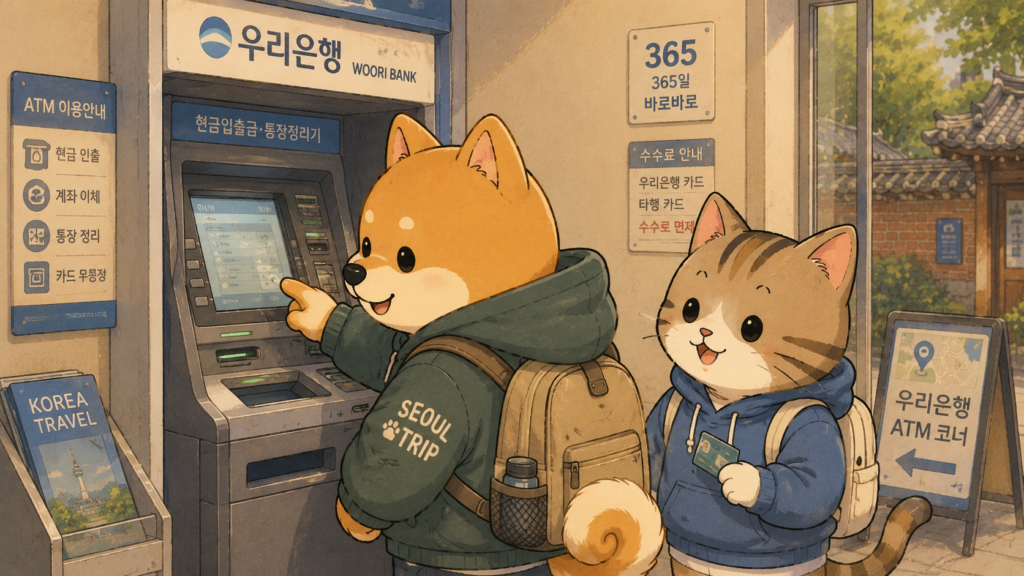
Finding a Korean ATM is not going to be your problem. They’re everywhere — inside subway stations, at every convenience store, on busy street corners, and inside shopping malls. Korea is genuinely well-equipped when it comes to cash machines, and you are never far from one.
The real challenge is knowing which Korean ATM will actually accept your foreign card — because not all of them do. Walk up to the wrong machine, insert your card, and you’ll get an error message that tells you almost nothing useful. Walk up to the right one, and you’re done in two minutes.
Here’s exactly what you need to know before you need cash.
The Most Important Thing About Using a Korean ATM: Look for “Global ATM”
This is the single piece of information that saves most first-time visitors from a stressful experience.
Around 80% of ATMs in Korea are built for Korean bank cards only. Insert a foreign Visa or Mastercard into one of these machines and it will simply reject it — no useful error message, no explanation. The machines that accept foreign cards are specifically labeled “Global ATM” or “Global Service.”
Before you insert your card into any Korean ATM, look for:
- The words “Global ATM” or “Global Service” on the machine
- Visa, Mastercard, UnionPay, or JCB logos
- An English language option button on screen
If you don’t see any of these — move on and find another machine. It’s that simple.
According to Wise’s guide to ATMs in South Korea, even ATMs that display Visa and Mastercard logos can occasionally reject foreign cards, so if one machine doesn’t work, try a different one nearby before assuming your card is the problem.
Where to Find a Korean ATM That Accepts Foreign Cards
The good news: Global ATMs are easy to find in any busy area. Here’s where to look:
Convenience Stores (CU, GS25, 7-Eleven, Emart24)
This is the approach I’d recommend for most first-time visitors. Convenience store ATMs are open 24 hours, found on practically every street corner, and most of them in busy areas have Global ATM stickers. Walk in, find the machine, look for the label, and you’re set.
One thing to know: convenience store ATMs have a lower per-transaction limit of around 300,000 won and charge slightly higher fees (₩3,000–₩6,000 per withdrawal). For smaller amounts throughout the day, they’re perfectly fine.
Subway Stations
Most major subway stations in Seoul and other cities have ATMs in the underground concourse area. Many of these are Global ATMs and are easy to find near the ticket gates.
Bank Branches
Banks like Woori Bank, KB Kookmin Bank, KEB Hana Bank, and Shinhan Bank all have Global ATMs with the widest coverage. Woori Bank charges the lowest Korean-side fee at around ₩2,000–₩3,000 per withdrawal as of 2026. Citibank Korea waives the Korean-side fee entirely — useful if you’re in central Seoul where their branches are concentrated.
Incheon Airport
There are ATMs right in the arrivals hall at both Terminal 1 and Terminal 2. Convenient as they are, airport ATMs are actually among the most reported failure points for foreign cards. If your card gets rejected at the airport, don’t panic — try a convenience store ATM once you’re in the city. Our Incheon Airport to Seoul: The First-Timer’s Complete Transport Guide covers everything else you need on arrival day.
Step-by-Step: How to Use a Korean ATM
Once you’ve found a Global ATM, here’s exactly what to do:
Step 1: Press the English button
Look for “English” on the touchscreen — usually in the corner of the home screen. Tap it before inserting your card.
Step 2: Insert your card
Most Korean ATMs still use card insertion rather than contactless tap. Insert your card into the slot even if your card has tap-to-pay features.
Step 3: Select “Withdrawal” or “Cash Withdrawal”
Choose the withdrawal option from the menu.
Step 4: Enter your 4-digit PIN
This is important — Korean ATMs only accept 4-digit PINs. If your home card has a 5 or 6 digit PIN, it will fail every time. Contact your bank before you travel to request a 4-digit PIN. Three failed PIN attempts can trigger a card lock from your home bank’s fraud system.
Step 5: Choose your amount
Select how much you want to withdraw in Korean won. Avoid selecting your home currency if the machine offers it — always choose KRW. The other option (Dynamic Currency Conversion) converts at a worse rate and costs you more.
Step 6: Take your cash and card
The machine will dispense your cash and return your card separately. Don’t walk away until you have both.
Before You Travel: Two Things to Do at Home
1. Notify your bank you’re going to Korea
This is genuinely important. If your bank’s fraud system sees sudden ATM withdrawals in Korea, it may freeze your card — especially if you’ve never used it abroad before. A quick call or message to your bank before you fly takes five minutes and prevents a serious headache.
2. Check your PIN is 4 digits
If your PIN is longer than 4 digits, request a 4-digit version from your bank before you leave. This one thing prevents the most common Korean ATM problem that foreign visitors run into.
How Much Does It Cost to Use a Korean ATM?
Every foreign card withdrawal from a Korean ATM involves two fees:
- Korean-side ATM fee — charged by the Korean bank. Usually ₩2,000–₩6,000 depending on the machine. Woori Bank is generally the cheapest among major banks.
- Home bank foreign transaction fee — charged by your own bank. This varies by card.
For a typical withdrawal of 100,000–200,000 won, the total cost in fees is usually small enough not to worry about. If you’re withdrawing larger amounts, doing it at a bank branch rather than a convenience store ATM keeps the Korean-side fee lower.
For more on managing money in Korea overall, our How to Exchange Money in Korea: A First-Timer’s Honest Survival Guide covers everything from currency exchange to how much cash to actually carry.
What to Do If Your Card Doesn’t Work
Don’t assume your card is the problem right away. Try these first:
- Move to a different machine — even a different ATM in the same location can behave differently
- Make sure you chose KRW, not your home currency
- Check that the machine is labeled Global ATM or shows the Visa/Mastercard logo
- Try a GS25 or CU convenience store ATM instead
If nothing works, use a Papago or Google Translate to show a staff member your issue — they’re generally used to helping foreign visitors in this situation. Our How to Use Papago in Korea: A First-Timer’s Complete Translation Guide walks you through exactly how to use the app in moments like this.
FAQ
What cards work in Korean ATMs?
Only ATMs labeled “Global ATM” or “Global Service” accept foreign cards. Visa and Mastercard are the most widely accepted networks. American Express works at some banks. Bring at least two cards if possible — Mastercard-network cards tend to have higher success rates than Visa debit cards at Korean ATMs.
My card keeps getting rejected at Korean ATMs. What should I do?
First, make sure you’re using a “Global ATM” labeled machine. If you are, try a different machine — even nearby ATMs can behave differently. Check that your PIN is 4 digits (Korean ATMs don’t accept longer PINs), and confirm your bank hasn’t blocked overseas transactions. Convenience store ATMs at GS25 and CU are often more reliable than bank branch machines for foreign cards.
Can I use Apple Pay or Samsung Pay at Korean ATMs?
No. Korean ATMs don’t support Apple Pay or Samsung Pay. You’ll need a physical card for all ATM withdrawals. Apple Pay also has very limited coverage at Korean payment terminals in general, so always carry your physical card.
Do I need to tell my bank before using my card in Korea?
Yes — and this step matters more than most people realize. Banks often flag foreign ATM withdrawals as suspicious and freeze the card without warning. A quick notification to your bank before you fly prevents this. Most banks allow you to set a travel notice through their app or by phone.
Is it safe to use ATMs at night in Korea?
Yes. Korea is one of the safest countries in the world and ATM use at night is completely normal. Convenience store ATMs inside GS25 and CU are open 24 hours and are the best option late at night. Note that most bank branch ATMs close between midnight and 1am for daily system maintenance.